

在Firefox和Chrome中,在colab页面,按Ctrl+Shit+i,打开检查页面(也可以右击鼠标,选择“检查”),并切换到控制台或terminal标签,chrome中为Console。
如果你是联想电脑,可以按“Fn+F12”打开
在控制台或者是Console页面输入下面的代码
function ConnectButton(){
console.log(“Connect pushed”);
document.querySelector(“#top-toolbar > colab-connect-button”).shadowRoot.querySelector(“#connect”).click()
}
setInterval(ConnectButton,60000);
执行了代码后,记下弹出的数字,那是intervalId,
我输入之后弹出的是这个:
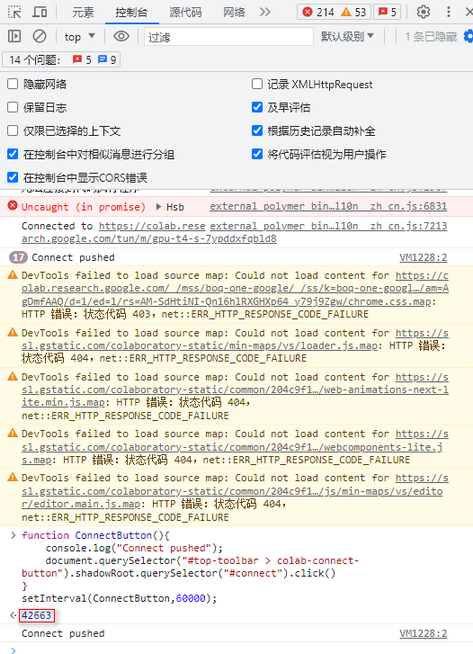
那么我的“intervalId”就是42663
当想停止这段代码的执行时,只需要执行
clearInterval(intervalId)
对我来说,我就需要执行clearInterval(42663),即可断开。