

Debian / Ubuntu v2ray 的安装以及操作界面v2rayA的安装设置
v2rayA官方文档:https://v2raya.org/docs/prologue/installation/debian/
安装 v2rayA
通过软件源安装
添加公钥
wget -qO – https://apt.v2raya.org/key/public-key.asc | sudo tee /etc/apt/keyrings/v2raya.asc
添加 V2RayA 软件源
echo “deb [signed-by=/etc/apt/keyrings/v2raya.asc] https://apt.v2raya.org/ v2raya main” | sudo tee /etc/apt/sources.list.d/v2raya.list
sudo apt update
安装 V2RayA
sudo apt install v2raya v2ray
启动 v2rayA / 设置 v2rayA 自动启动
启动 v2rayA
sudo systemctl start v2raya.service
设置开机自动启动
sudo systemctl enable v2raya.service
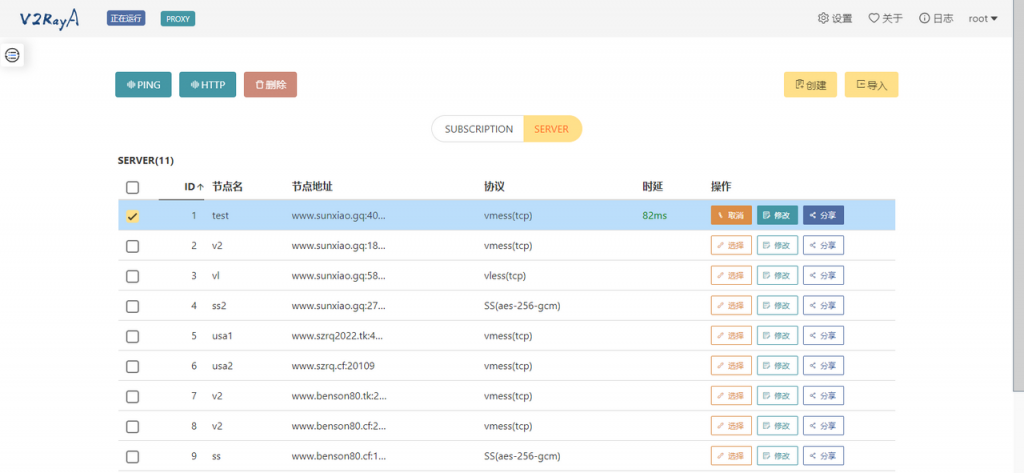
打开网页http://VPS IP:2017,导入节点
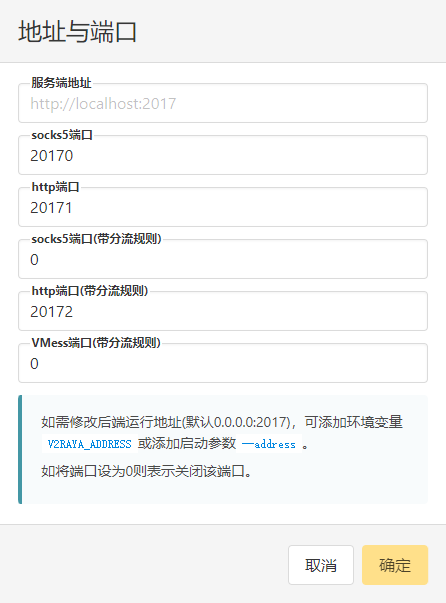
vi ~/.bashrc
export http_proxy=’http://localhost:20171′
export https_proxy=’http://localhost:20171′
source ~/.bashrc
wget www.google.com